
What's the Difference Between Broadband and WiFi?
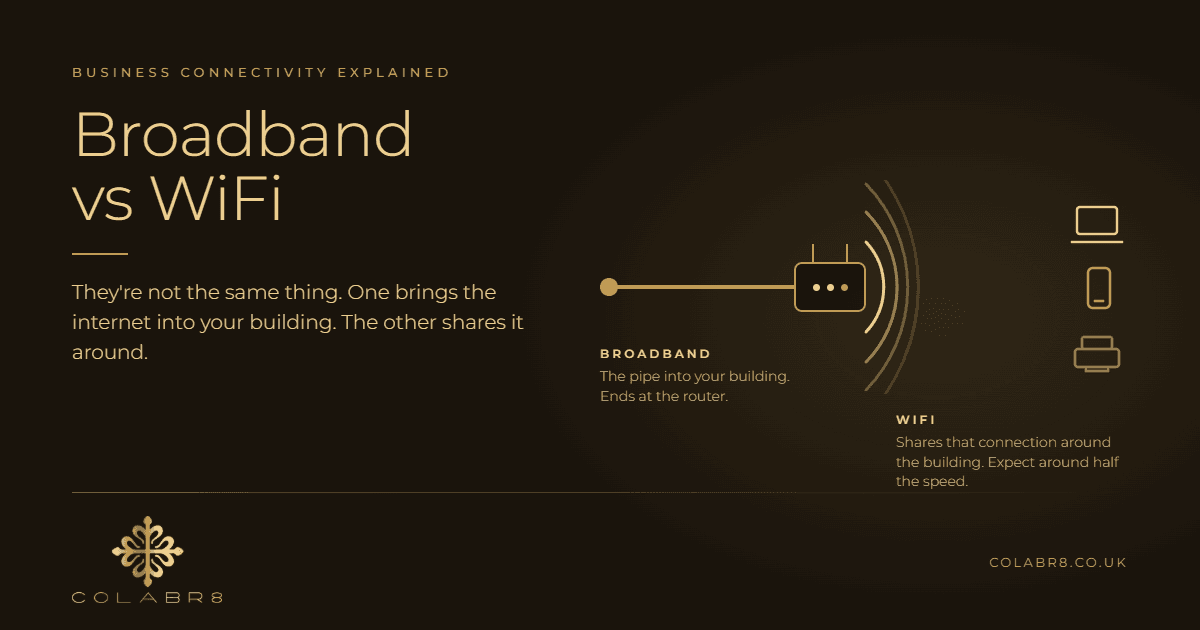
When a business calls us and says their WiFi is rubbish, it turns out to be an actual WiFi problem about half the time. The other half, it's a broadband problem. And the two need completely different fixes, which is why so many businesses end up spending money on the wrong thing.
At COLABR8 we've been installing broadband, VoIP and business WiFi for companies across Glasgow, Paisley and the wider central belt for years, and this confusion comes up more than almost anything else. Most people use the words broadband and WiFi interchangeably. They aren't the same thing, and understanding the difference will save you money, time and a lot of frustration.
This post explains the difference in plain terms, walks through a real job we did recently in Glasgow, covers the mistakes we see businesses make when they try to fix it themselves, and tells you exactly what to check before you spend a penny.
Broadband and WiFi are two different things
The simplest way I explain it to customers is this. Broadband is the pipe that brings the internet into your building. WiFi is how that internet gets distributed around the building without cables.
Your broadband is the connection your provider gives you, whether that's a fibre line, a leased line or an older copper connection. It arrives at your router. That's where broadband ends.
WiFi is a wireless signal your router or access points broadcast so laptops, phones, tablets and printers can connect without being plugged in. WiFi doesn't create internet. It only shares out whatever broadband you already have.
Why the difference matters
If your broadband is slow, no amount of new WiFi kit will fix it. You're just distributing a slow connection more widely.
If your broadband is fast but your WiFi doesn't reach the back office, upgrading your broadband package won't help either. You'll pay more every month for speed that still can't get through the walls.
In our experience, most businesses actually have half-decent broadband. What they don't have is any way of distributing that signal beyond the room the router sits in.
The biggest myth: the speed you bought is the speed you get on WiFi
This is the one I'd push back on hardest. People assume the speed advertised when they bought their broadband is the speed they'll get on WiFi. It isn't.
The advertised speed is only guaranteed when a device is connected to the router by an ethernet cable. Over WiFi, you should only expect around half of that, and often less once you add distance, walls, interference and a room full of devices all sharing the same signal.
So if you've paid for a 500Mbps connection and your laptop on WiFi shows 180Mbps, nothing is necessarily broken. That's WiFi doing what WiFi does. The question is whether your WiFi setup is good enough for what your business needs, not whether it matches the number on the invoice.
Once customers understand this, half the frustration disappears. They stop ringing their provider to complain about speeds the provider never promised over WiFi, and they start looking at the thing that's actually limiting them.
A real example: great speeds at the front, nothing in the workshop
We recently worked with a business in Glasgow that had exactly this problem. In the front office, right next to the router, the broadband speeds were excellent and the WiFi was fine. Walk through to the workshop, the back office or the storage areas and there was nothing. Staff couldn't connect at all.
The building had thick walls, the kind you find in a lot of older commercial premises across Glasgow. WiFi simply couldn't get through them. The customer's instinct was that they needed faster broadband. They didn't. The broadband coming into the building was already more than good enough.
What we actually did
We started the way we always do, by establishing where the problem really was. That meant checking the speed at the router over a cable, then testing coverage around the building. The numbers made it obvious: the pipe was fine, the distribution wasn't.
In this case we did end up doing both an upgrade and a WiFi install, but the WiFi side was the part that changed their working day. We installed business-grade access points in the workshop and back areas, cabled back to a central switch, so every part of the building got proper coverage instead of just the room with the router in it.
The lesson is simple. If they'd gone out and bought a faster broadband package on their own, they'd have paid more every month and the workshop would still have had no signal.
The mistakes businesses make when they try to fix it themselves
We see the same three mistakes over and over, and they usually end the same way: the business calls us or another telecoms company to put it right, and the kit they bought ends up redundant and sitting in a cupboard.
Buying cheap domestic access points
The first thing most people do is order a cheap WiFi extender or a home access point from Amazon. Domestic kit is built for a house with a handful of devices. It isn't built for a workplace with twenty laptops, a dozen phones, printers, card machines and visitors all connecting at once. It struggles, it drops out, and it often makes things worse by creating a weak second network that devices cling to even when there's a better signal nearby.
Cabling it incorrectly
Access points need to be cabled properly back to a switch to perform well. We regularly see them daisy-chained off whatever socket was nearest, run on the wrong cable, or wirelessly bridged from the router, which halves the available speed before anyone's even connected.
Not separating phones, computers and printers
This is the one almost nobody thinks about. A proper business network keeps your VoIP phones, your computers and your printers on separate networks. Without that separation, a big file download on one laptop can cause your phone calls to break up, and a guest on your WiFi can see your printer and your file server. Domestic kit doesn't give you this. Business-grade kit does.
The frustrating part for the customer is the cost. They've spent money on equipment, spent time trying to make it work, and then spent money again on getting it done properly. The first spend was wasted.
What a proper business WiFi install looks like
It depends on the size of the premises, but a typical small business install from us follows the same pattern.
- We install a small comms cabinet to protect the kit, keep it tidy and stop it being unplugged by accident or buried under a pile of boxes.
- We move the router into the comms cabinet.
- We install a PoE switch. PoE stands for Power over Ethernet, which means the access points get their power down the same cable that carries the data, so there's no need for a plug socket wherever we want an access point.
- We cable the router and each access point back to the switch.
- We configure the switch and the access points, set up the separate networks for phones, computers and printers, and password protect everything.
The result is one network that behaves the same in every corner of the building, with business-grade access points that can handle a full office of devices, and a setup that can grow with you. Need another access point for a new mezzanine or an extension? It's one more cable to the switch, not a rethink of the whole thing.
So do you actually need faster broadband?
Sometimes, yes. But we never recommend a broadband upgrade without qualifying the business first. We ask a set of questions, and the answers tell us whether the pipe is the problem or not.
- How many employees do you have?
- How many devices are connecting, including phones, laptops, tablets and printers?
- What type of devices are they?
- Do you mainly download from the internet, or do you upload a lot as well?
- What phone system do you use?
Why the upload question matters
Most broadband packages are sold on download speed, and for a lot of businesses that's fine. But some businesses live on upload. Architects sending drawings to clients, developers pushing code and large files, design agencies sharing video, anyone backing up to the cloud all day. These businesses have a much higher upload demand, and a cheap package with a fast download and a slow upload will frustrate them no matter how good the WiFi is.
When a leased line is worth the money
If the qualifying questions point to a business that genuinely depends on its connection, we'll often recommend a leased line. It costs more than standard broadband, and we're upfront about that. But for the right business it's absolutely worth it, because a leased line gives you things a standard package doesn't.
- A dedicated connection you don't share with the businesses around you, so your speed doesn't drop at 2pm when the office next door starts a big download.
- The same speed up as down, which is what uploaders need.
- A guarantee of service, backed by a service level agreement.
- Guaranteed fix times if something goes wrong, rather than waiting in a queue.
- Security included as part of the package.
For a business where losing the internet means losing the phones, the card machines and the ability to work, that guarantee is the point. It's a cost of staying open, not a luxury.
What to do before you spend a penny
Before you upgrade anything or buy any kit, do this. It takes ten minutes and it's the same first step we take on every job.
- Plug a laptop directly into the router with an ethernet cable and run a speed test on Ookla. This tells you what your broadband is actually delivering.
- Run the same cabled test at a quiet time, early morning or after everyone's gone home, when nobody else is using the connection.
- Run it again at the busiest time of the day, when the whole office is working.
- Then run a WiFi speed test from the rooms where people complain, at the same quiet and busy times.
Compare the numbers. If the cabled speed at the router is good at quiet times and still decent at busy times, your broadband is fine and the problem is distribution. You need better WiFi coverage, not a bigger package.
If the cabled speed at the router is poor even when nobody's using it, your broadband is the bottleneck and no WiFi kit will fix that. If it's fine when quiet but collapses when busy, you've outgrown your package and it's time to look at an upgrade or a leased line.
That one set of tests tells you more than any sales call will, and it means that when you do spend money, you're spending it on the right thing.
Get the right fix, not the expensive one
Broadband is the pipe into your building. WiFi is how you share it around. When one of them is the problem, fixing the other does nothing except cost you money. That's the whole difference, and it's why half the "our WiFi is rubbish" calls we get aren't about WiFi at all.
If you're not sure which side your problem sits on, run the cabled speed tests above. If you'd rather we did it, COLABR8 can visit your site or talk you through the tests remotely, then advise on whether you need better coverage, a better connection or both. We install business-grade WiFi with proper comms cabinets, PoE switches and access points, and we broker broadband and leased lines from the major UK carriers, so we've no reason to push you towards one fix over the other.
Call us on 0141 378 8004 or get in touch through the website and we'll help you work out what's actually going on.